Pro-Ject Strobe-IT Turntable Tool
- 2 in one turntable tool
- Turntable speed checker (stroboscope)
- Cartridge alignment tool for optimal playback
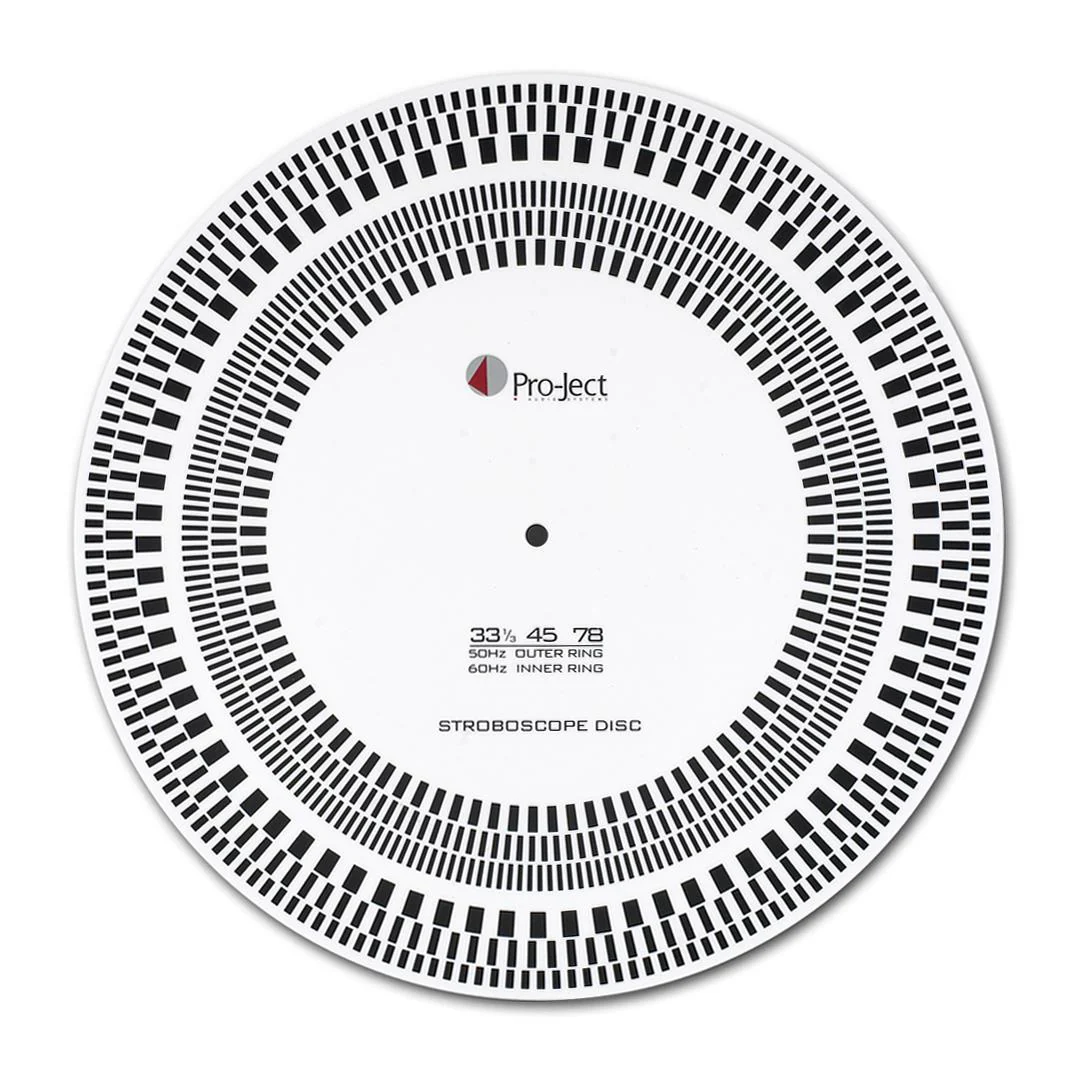
Strobe-IT is used to measure the speed accuracy of your turntable. By placing a mains-powered light source above the spinning Strobe-IT, you can get a visual indication of how accurate and stable your turntable is.
For added convenience, an advanced cartridge set-up protractor is printed onto the reverse side, making this an essential accessory for any turntable enthusiast.
For advice on cartridge set-up, read our Cartridge Support section.
Features
- Two-in-one turntable tool
- Turntable speed checker (stroboscope)
- Cartridge alignment tool for optimal playback
FAQ
How do I use Strobe-IT?
Strobe-IT shows circular arranged dashes that are assigned to speed and frequency. Please remember the ring that matches your desired speed and frequency (In the UK, you need to use 33 1/3 rpm with 50 Hz and 45 rpm with 50 Hz).
Place Strobe-IT on the turntable platter and start the turntable. Place a mains-powered light source directly above the turntable, with Strobe-IT rotating. The dashes of the ring you are checking should give the impression that they're standing still. If they seem to move slightly forward or backwards, the speed is either too high or too low.
Please note: Use normal mains operated lamps. Daylight, fluorescent lamps (energy saving lamps) as well as flashlights and LEDs, which are operated with direct current, are not suitable.
- 2 in one turntable tool
- Turntable speed checker (stroboscope)
- Cartridge alignment tool for optimal playback
Strobe-IT is used to measure the speed accuracy of your turntable. By placing a mains-powered light source above the spinning Strobe-IT, you can get a visual indication of how accurate and stable your turntable is.
For added convenience, an advanced cartridge set-up protractor is printed onto the reverse side, making this an essential accessory for any turntable enthusiast.
For advice on cartridge set-up, read our Cartridge Support section.
Features
- Two-in-one turntable tool
- Turntable speed checker (stroboscope)
- Cartridge alignment tool for optimal playback
FAQ
How do I use Strobe-IT?
Strobe-IT shows circular arranged dashes that are assigned to speed and frequency. Please remember the ring that matches your desired speed and frequency (In the UK, you need to use 33 1/3 rpm with 50 Hz and 45 rpm with 50 Hz).
Place Strobe-IT on the turntable platter and start the turntable. Place a mains-powered light source directly above the turntable, with Strobe-IT rotating. The dashes of the ring you are checking should give the impression that they're standing still. If they seem to move slightly forward or backwards, the speed is either too high or too low.
Please note: Use normal mains operated lamps. Daylight, fluorescent lamps (energy saving lamps) as well as flashlights and LEDs, which are operated with direct current, are not suitable.
Original: $33.37
-70%$33.37
$10.01Description
- 2 in one turntable tool
- Turntable speed checker (stroboscope)
- Cartridge alignment tool for optimal playback
Strobe-IT is used to measure the speed accuracy of your turntable. By placing a mains-powered light source above the spinning Strobe-IT, you can get a visual indication of how accurate and stable your turntable is.
For added convenience, an advanced cartridge set-up protractor is printed onto the reverse side, making this an essential accessory for any turntable enthusiast.
For advice on cartridge set-up, read our Cartridge Support section.
Features
- Two-in-one turntable tool
- Turntable speed checker (stroboscope)
- Cartridge alignment tool for optimal playback
FAQ
How do I use Strobe-IT?
Strobe-IT shows circular arranged dashes that are assigned to speed and frequency. Please remember the ring that matches your desired speed and frequency (In the UK, you need to use 33 1/3 rpm with 50 Hz and 45 rpm with 50 Hz).
Place Strobe-IT on the turntable platter and start the turntable. Place a mains-powered light source directly above the turntable, with Strobe-IT rotating. The dashes of the ring you are checking should give the impression that they're standing still. If they seem to move slightly forward or backwards, the speed is either too high or too low.
Please note: Use normal mains operated lamps. Daylight, fluorescent lamps (energy saving lamps) as well as flashlights and LEDs, which are operated with direct current, are not suitable.